Android app
Answer chats from your phone
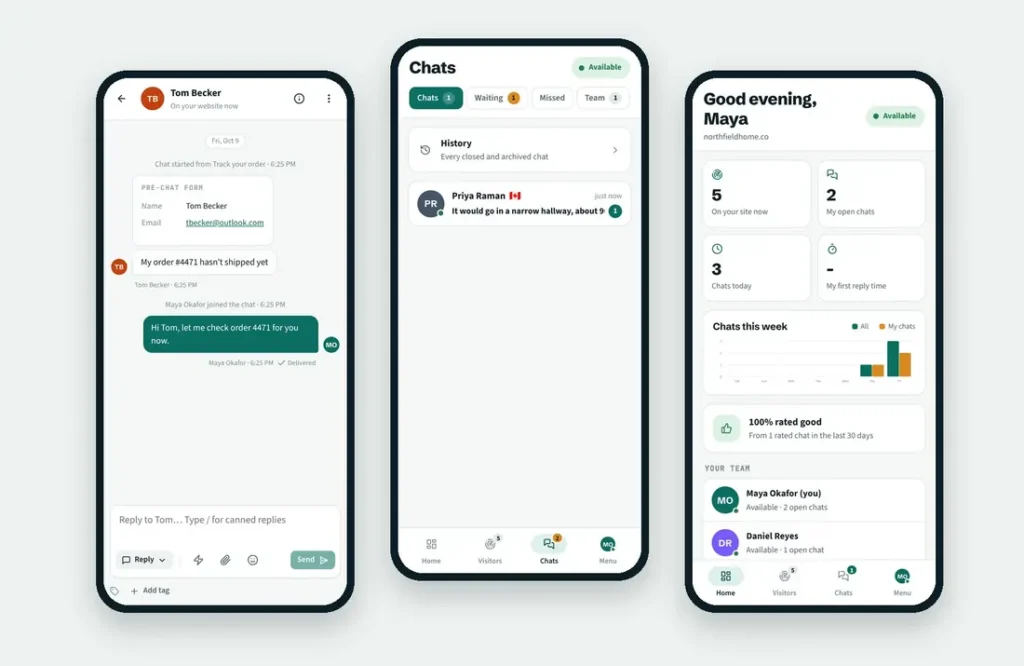
Brio Chat puts your chats and live visitors in your pocket. Your phone rings with a voice alert the moment a visitor needs you, even when the app is closed.
Version 1.0.6 · 5.5 MB · Android 7.0 and newer · Updated October 15, 2026

On a computer?
Scan this code with your phone camera to download the app.
What it does
Everything you need away from your desk
The app works with the same account, chats and team as your dashboard at agent.briolivechat.com. Sign in once and you’re ready.
Alerts with the app closed
New chats, waiting visitors and new messages reach your phone in seconds. Tap the alert to open that chat.
Female or male voice
Hear “New chat” or “New visitor in the queue” in a clear female or male voice. New messages play a soft alert.
Reply with everything
Canned replies with /, files and photos, emoji, internal notes, transfers and chat history.
See who’s on your site
Live visitors with their current page, where they came from, location and device. Start a chat in one tap.
Grow your team
Invite teammates by email, then share the link or show a QR code to get them signed in fast.
Light and dark
Follows your phone’s setting, or choose light or dark yourself. Stay available for chats with one switch.
Install
Install it in about a minute
The app is downloaded straight from briolivechat.com, so Android asks you to allow the install once.
Step 1
Download the app
Open briolivechat.com/app in Chrome on your Android phone and tap Download for Android. If Chrome warns about the file type, tap Download anyway.
Step 2
Allow the install
Open the downloaded file. Android asks you to allow installs from Chrome: tap Settings, turn on Allow from this source, then go back.
Step 3
Install and sign in
Tap Install, open Brio Chat and sign in with the same email and password you use for the dashboard.
Step 4
Turn on alerts
Tap Allow when the app asks about notifications. Then open Menu › Notifications › Check notifications and send a test.
Questions
Good to know
Yes. The app is included in every Brio LiveChat plan. Each person who signs in uses one of your plan’s agent seats, the same as on the dashboard.
We publish the app here first so you get updates as soon as they’re ready. When a new version is out, the app shows Update in its Menu and you install it from this page.
Yes. The app is signed by Brio Reach and is downloaded over a secure connection from briolivechat.com only. Android shows a warning for any app that doesn’t come from Google Play. Never install Brio Chat from another website.
Yes, while your status is Available. New chats can be assigned to you and your phone rings with your chosen sound. Switch to Away or Offline in the app when you don’t want new chats.
Open Menu › Notifications › Check notifications. It checks that Android allows notifications, that your phone is registered and that sound is on. Some phones also stop apps in the background: in Android settings, set battery use for Brio Chat to Unrestricted.
Not yet. On iPhone, open agent.briolivechat.com in Safari, tap Share › Add to Home Screen and use it like an app.
Uninstall the old app first, then install Brio Chat from this page. Your chats and settings are kept on the server.
Never miss a chat again
Download Brio Chat for Android and get alerts the moment a visitor needs you.